The note writes itself. You just approve it.
MedAid listens to your conversation with the patient and writes a complete draft of the clinical note. You read it, fix what you want, and copy it into the record.
From conversation to note
A simple example. The conversation on the left becomes the note on the right.
Sore throat for 3 days with mild fever. No cough or shortness of breath. Has used paracetamol.
Red pharyngeal mucosa, no exudate.
Likely viral pharyngitis.
Symptomatic treatment. Return if it gets worse.
Three steps. No training.
Confirm the patient has been informed and consents. Press the button. Talk to the patient as you always do.
MedAid turns the conversation into a structured note. It usually takes a few minutes.
You always approve before anything is used. Copy the whole note, or one section at a time, straight into your record system.
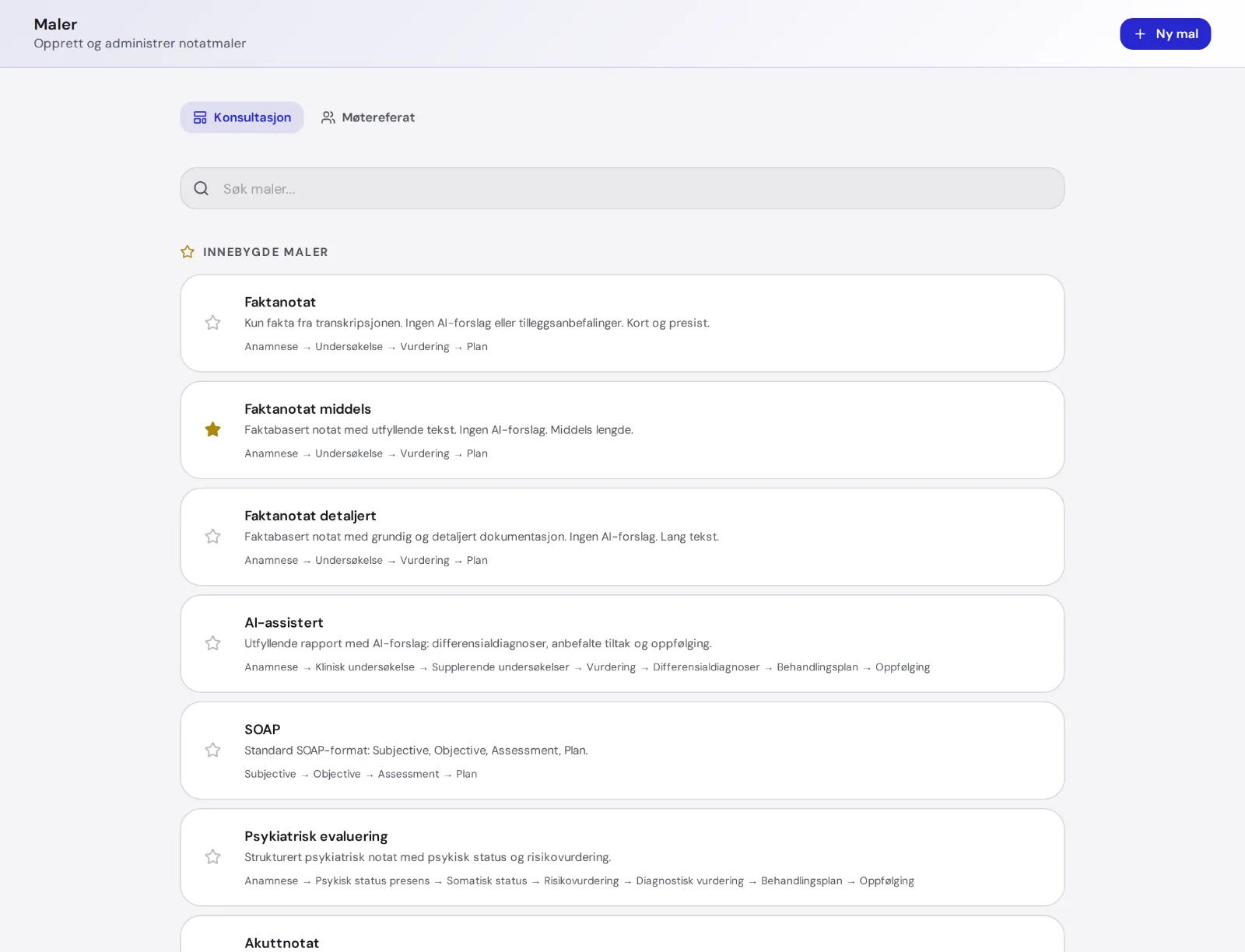
The note follows your templates
A template decides which sections the note has, how long it is, and how formal it sounds.
Use the built-in templates — a factual note in three lengths, AI-assisted, SOAP, psychiatric evaluation, emergency note, physiotherapy and meeting minutes — or make your own. UK accounts get a SOAP-based set instead.
- Sections such as History, Examination, Assessment and Plan
- Your own instructions to the AI
- Examples of how you like it
Say it, and it gets written
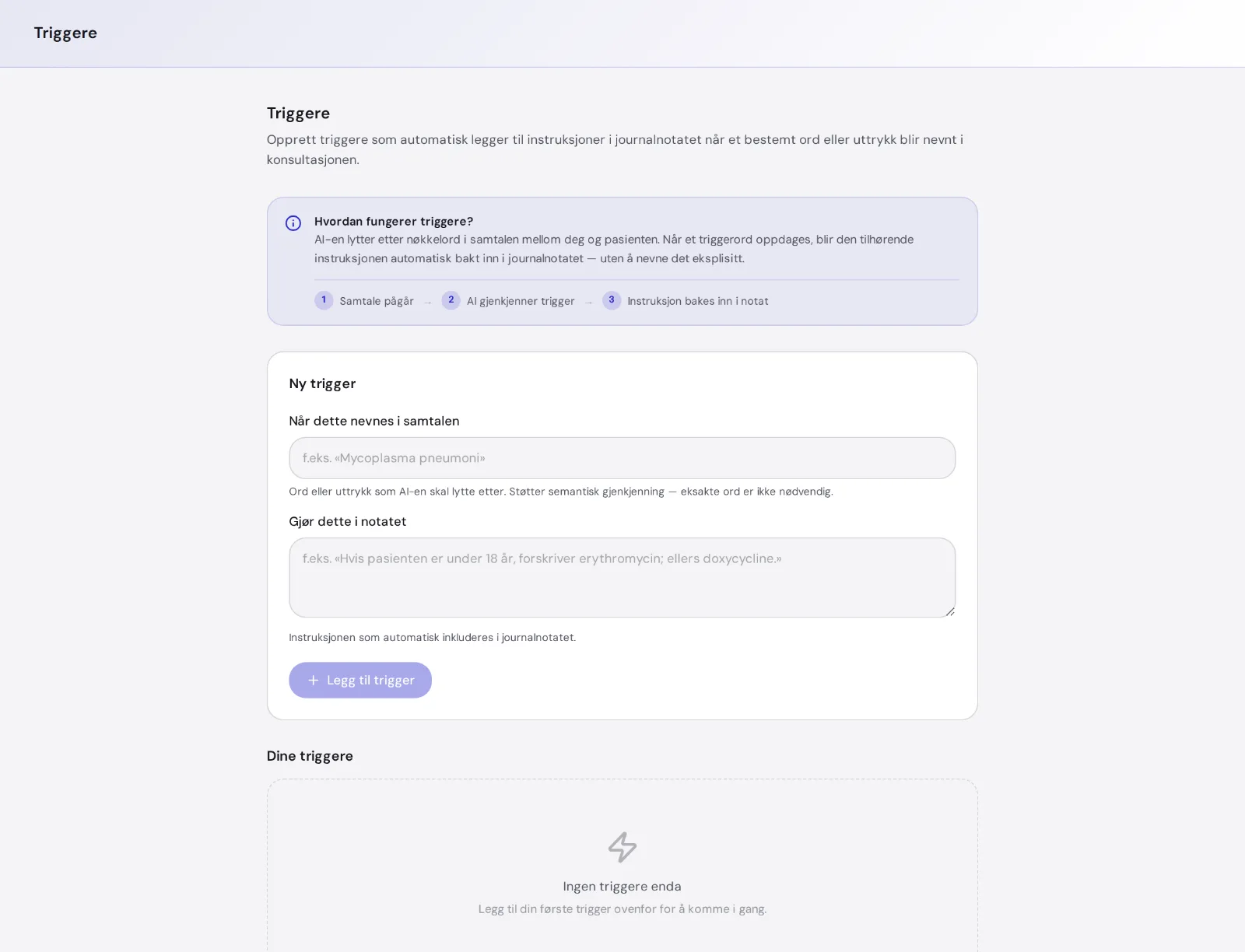
Make a rule: when a certain word or topic comes up in the conversation, MedAid applies your standing instruction as it writes the note — without mentioning the rule in the text.
You don't need to say the exact word. MedAid understands what you mean.
Small things that save time every day
Shorten, expand, make it more formal, add an assessment or a plan.
Move one section at a time into the record. MedAid keeps track of what you have copied.
On busy days you can have several recordings running. The recording follows you between pages.
No audio? You can also create a note from documents the patient brings.
MedAid warns you if the note is missing what your billing code requires. The AI never picks codes for you.
A factual note contains only what was said. If you choose an AI-assisted note, suggestions are clearly marked and removed automatically when you copy.
Who is in charge? You.
MedAid writes drafts. That's all. No text goes from MedAid to a patient, to NAV or into a record unless you have read it and copied it yourself.
Everything the AI produces is labelled as an aid. The medical judgement stays with you, exactly as before.
Common questions
How long does it take to get the note?
- Usually a few minutes after you press Finish. Long conversations take a little longer.
Does it work with my record system?
- Yes. MedAid produces text you copy into any electronic health record. Our browser extension lets you drag the text straight into the fields instead, in Chrome and Edge.
What happens to the audio recording?
- The audio file is deleted as soon as the note is written. It is not stored.
Does the patient have to consent?
- Yes. You confirm that the patient has been informed and consents before the recording can start. The consent is stored with the consultation.
Try it on your next patient
Free trial. Log in with BankID and you are up and running in under a minute.