Test results explained. In seconds.
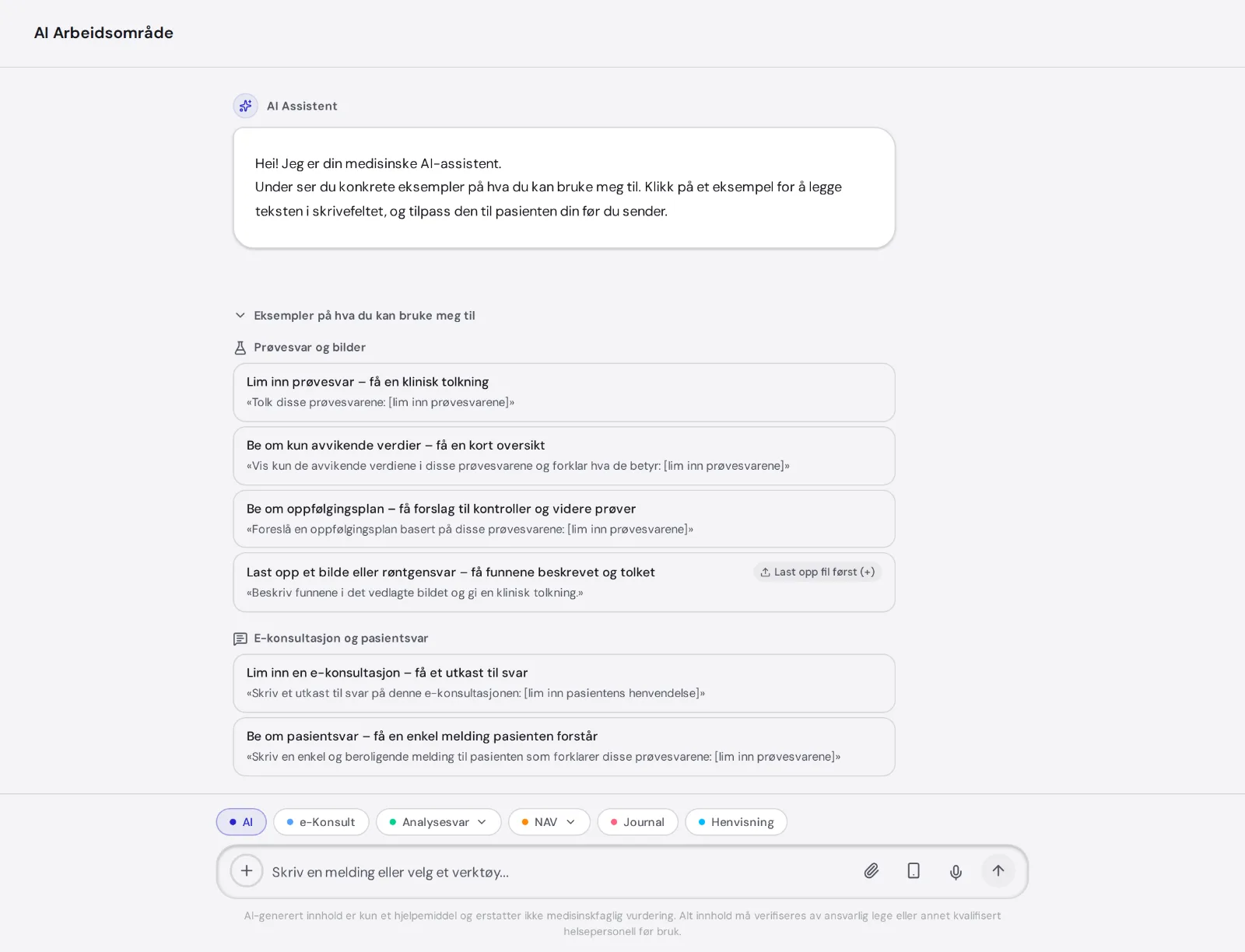
Paste in blood work or a radiology report. MedAid interprets it, points at what is abnormal, and writes an answer the patient can actually understand.
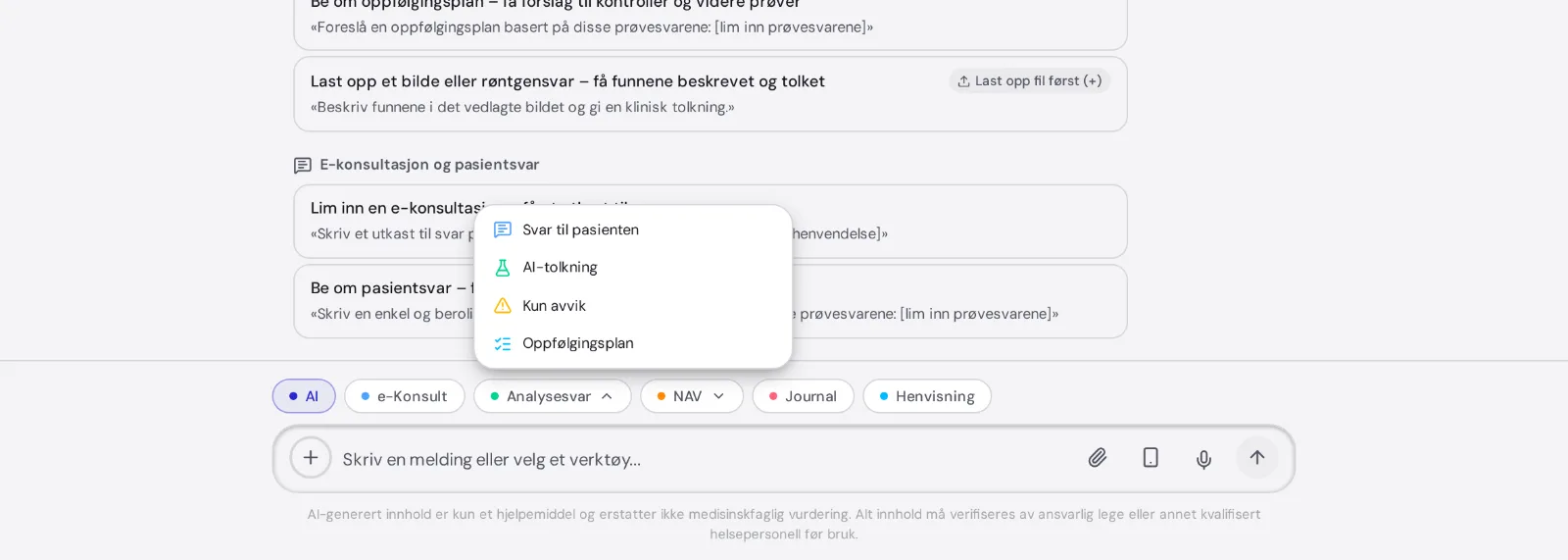
Pick what you need
The same result, four different answers. You choose which one you want.
Plain language, no jargon, ready to paste into your reply. You read it through first.
The clinical read: what the result means alongside what you know about the patient.
Just the values outside the reference range. Useful when the list is long and you are not.
A suggestion of what to re-check, and when.
How to do it
Paste the numbers straight into the message box, or upload the PDF. You can also photograph it with your phone via a QR code.
An answer for the patient, an interpretation, abnormal values only, or a follow-up plan.
You check the text before it is used. Copy it into the record or into your reply to the patient.
Imaging reports too
Long radiology reports can be reduced to what matters for this patient.
You get the main findings, and can ask for a version the patient understands.
Nothing is sent to the patient
MedAid writes a draft. You read it, fix what you want, and send it yourself from your record system.
The AI makes no diagnosis and chooses no treatment. The clinical judgement is yours.
Common questions
Which results work?
- Ordinary blood and urine tests, and radiology reports. You can paste text, or upload a PDF, Word file or image of up to 10 MB.
Can I send the answer straight to the patient?
- No. MedAid sends nothing. You copy the text into your record system and send from there.
Does the AI see the rest of the record?
- No. It sees what you paste or upload in this conversation.
What about e-consultations about results?
- If you paste a result into an e-consultation, the test-results tool takes over automatically, so you get the right answer without switching tools.
Try it on a real result
Free trial. Log in with BankID and paste in your first result.